Some Performance Improvements Exist Mostly on Paper
For some reason, people tend to believe that faster, newer technologies always result in a better computing experience. This expectation is reinforced when new products hit the market featuring faster storage interfaces, higher clock speeds, or impressive benchmark results. The core idea is simple: if one component performs better than others, overall performance should improve to the same degree.
In practice, however, this assumption is not always the case.
Many systems reach a point where adding more hardware has a negligible effect on the user experience. Even with increased processing power or storage speed, programs open quickly, files load without delay, and you perform everyday tasks in virtually the same way. The technology is faster, yet you notice no difference.
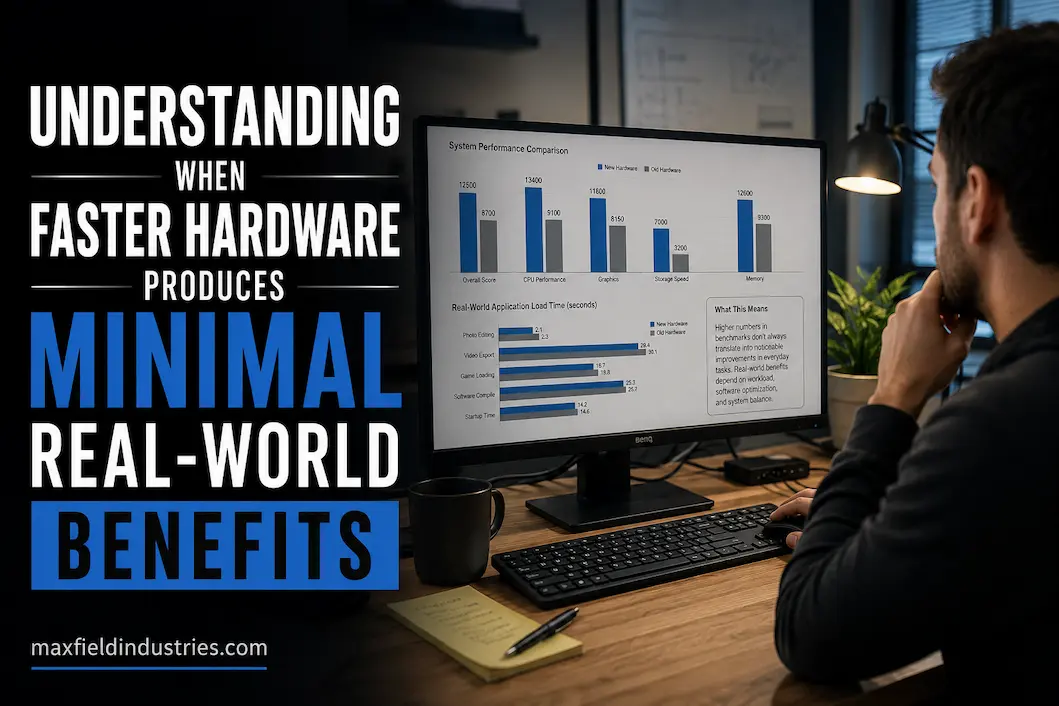
To understand why, you need to look beyond the limitations of the hardware itself. Many factors, not just the hardware, influence performance. It is affected by the type of work, software design, operating system operations, and even human cognition. Given all these factors, it is easy to see why massive improvements in benchmarks often translate into surprisingly small improvements in real-world use.
A Computer Can Only Be as Fast as Its Slowest Meaningful Process
People often view performance as a single component. However, even a simple task requires dozens of operations to run smoothly.
Starting up a large project illustrates this well. Storage devices retrieve the necessary files, memory fetches those files, the processor interprets their meaning, background services run continuously, and the graphics unit updates the screen. Each step depends on the previous one; the overall experience depends on the speed of the entire process, not just on a single extremely fast component.
Suppose a faster storage device reduces a file’s load time by half a second. If the application requires a few extra seconds to process the information before it becomes usable, the overall workflow barely changes. While there is a performance improvement, it is still far less significant than adding a single step to the process.
You can now hopefully see why replacing the fastest component in a system isn’t always the best way to improve responsiveness. Computers operate as a holistic platform, and upgrades generally only work if they address the components that are actually hindering performance.
Human Perception Has Practical Limits
Hardware can measure changes far smaller than what the human eye can perceive.
For example, measurements might show that one task takes 0.8 seconds, while another takes 1.1 seconds. From a technical standpoint, you can measure and replicate this variation. However, without a direct side-by-side comparison, many people would consider it difficult to determine which system is faster in practice.
This rule applies to many areas of computer science.
Technical performance improves over time, but small changes do not always lead to a corresponding improvement in the user experience. Once programs open quickly, documents load seamlessly, and daily interactions run perfectly, users are less likely to appreciate the benefits of further reducing wait times.
However, this evidence does not mean that faster hardware is useless. Rather, it highlights the crucial difference between measurable and perceived performance. They are related, but not identical.
Software Often Determines How Much Hardware Can Contribute
It is often tempting to assume that software will fully utilize every hardware improvement. In reality, however, various priorities, constraints, and design goals influence application development.
Some programs use multiple processor cores to distribute tasks efficiently, while others still rely heavily on sequential processing. Some programs stream large amounts of data from storage devices, whereas others spend most of their time processing data already in memory. Some programs benefit directly from more powerful graphics processing capabilities, while others rely more on processor or network performance.
Because software operates in such diverse ways, even the same hardware upgrade can have drastically different effects on different applications.
Experienced reviewers do not focus solely on the speed of the components themselves; they also examine how effectively the software in question utilizes that extra speed. Without this connection, even a significant improvement in hardware performance might not be fully realized.
More Speed Does Not Always Mean More Productivity
When people talk about performance, they often refer to the amount of time saved. However, productivity is about more than just completing tasks faster.
Imagine two professionals working on the same computer. One spends most of the day waiting for long simulation programs to finish. The other switches between meetings, emails, document editing, and occasional data checks.
For the first person, cutting twenty minutes off the processing time per project would significantly boost daily productivity.
To answer the second question: replacing older hardware with faster hardware can speed up certain simple tasks without disrupting the overall workflow.
In both cases, there is an improvement in hardware performance, yet its utility differs due to the distinct workflows involved.
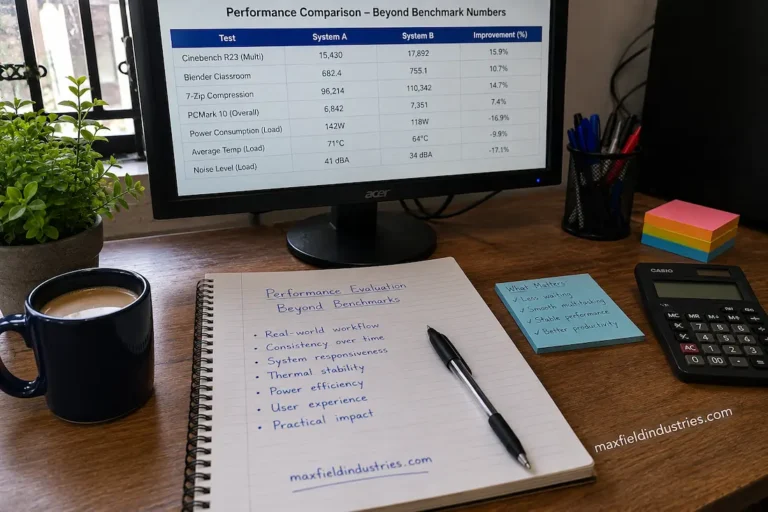
That is why analyzing hardware through task analysis often yields more useful information than simply comparing benchmark data. Productivity is influenced by the extent to which technology supports the entire workflow, not just the speed at which individual tasks are completed.
Improvements Become Less Noticeable Once Everyday Tasks Feel Immediate
To the user, many computer activities seem to happen almost instantly.
Applications launch quickly, web pages load without long delays, and operating systems respond promptly to common user actions. In these situations, improving hardware performance might only reduce execution time within a program, without necessarily enhancing the overall user experience to the same degree.
It is particularly useful to illustrate this connection using the example of transportation.
Traveling from one place to another in just two and a half hours is a major improvement, as it saves a significant amount of time. Even a five-minute travel time reduced by thirty seconds is an improvement, but its impact on the overall experience is much smaller.
Computers operate similarly.
Once the responsiveness of everyday tasks is fast enough, further performance improvements often make the standard feel more satisfying than the actual daily interactions.
Peak Capability and Everyday Experience Are Different Measurements
It makes sense for manufacturers to showcase the best possible performance of a component, as peak figures are easy to compare.
However, this is not the case for most everyday computing tasks.
Most systems constantly switch between periods of heavy processing, background activity, user interaction, and low load. During these transitions, the overall experience depends not only on getting as much work done as possible but also on the system’s consistency, responsiveness, and coordination.
Consequently, two systems that outperform real-world requirements in benchmarks may feel very similar in practice, even if their benchmark results differ drastically.
Understanding this distinction helps explain why experts typically focus on long-term hardware performance and behavior under specific workloads, rather than just on nominal performance figures.
The Point Where Hardware Stops Being the Limiting Factor
Every computing task reaches a point where faster hardware no longer matters.
Even if photo editing software can process images almost instantly, users still need time to review the results before making further adjustments. Even if new processors speed up spreadsheet updates, project progress still depends on the speed of data analysis and decision-making, not just processor speed.
The philosophy behind new computers remains consistent. Some tasks are limited by network latency, others by software design, and many by the way people typically use applications.
When hardware is not the primary bottleneck, the performance gains are still real; it is simply that the overall experience is less optimal.
Understanding this shift is crucial because it affects how we evaluate updates. Instead of asking how much a specific component has improved, it is more important to understand whether hardware still acts as a constraint on progress.
Performance Should Be Judged Across an Entire Workflow
Because controlled tests yield consistent results, individual benchmarks can distinguish between different processes. However, people’s day-to-day work often does not follow such clearly defined processes.
Software developers, for instance, write code, compile projects, review documents, participate in video conferences, and test applications at various times. Designers, on the other hand, constantly edit images, organize resources, communicate with clients, and deliver the final product.
Hardware acceleration typiwe should not judge hardware progressthese broader workflows.
If the speed of a single task improves significantly while other steps remain unchanged, the total project duration may see only a slight improvement. Conversely, if a smaller improvement eliminates recurring delays across dozens of daily interactions, the long-term benefits can be far greater.
From this perspective, the focus shifts from merely measuring speed to improving workflow efficiency. A proper hardware evaluation must consider the impact on the entire process, rather than just performance on a single task.
Expectations and Everyday Results Are Not Always the Same
Advertising naturally emphasizes measurable improvements because they are easy to communicate. Consumers therefore develop expectations that larger performance figures will automatically produce equally dramatic changes in daily use.
The relationship is often more nuanced.
| Expectation | Practical Reality |
|---|---|
| Higher benchmark scores always make a computer feel dramatically faster. | Noticeable improvements depend on whether the workload can actually use the additional performance. |
| Newer hardware improves every task equally. | Different applications rely on different system resources and may respond very differently. |
| Maximum performance reflects everyday experience. | Most computers spend much of their time handling moderate workloads rather than operating continuously at peak capacity. |
| Faster components eliminate waiting. | Waiting may instead be caused by software processes, network communication, or user interaction. |
Understanding these differences helps establish more realistic expectations before investing in new hardware.
Efficient Computing Is Not the Same as Maximum Computing
Engineering often prioritizes efficiency over absolute capability.
A balanced computer that completes tasks smoothly, remains responsive under changing workloads, and consumes resources appropriately can provide a better long-term experience than a system built solely to maximize benchmark performance.
This distinction becomes increasingly important as computers grow more capable.
Once hardware comfortably satisfies the demands of typical workloads, improvements in stability, responsiveness, thermal behavior, and resource management frequently contribute more to overall satisfaction than modest increases in raw computational speed.
In other words, the goal is not always to achieve the highest measurable performance. The objective is to create a system that performs its intended work consistently and without unnecessary interruption.
Technology Continues Advancing Even When Daily Experience Changes Slowly
Hardware development does not become less valuable simply because some improvements are difficult to notice immediately.
New architectures often increase efficiency, reduce power consumption, improve reliability, strengthen security features, or expand compatibility with future software. These benefits may not always produce dramatic differences during everyday interaction, but they contribute to the long-term evolution of computing platforms.
Likewise, workloads that seem modest today may become considerably more demanding over time as applications introduce new capabilities and operating systems evolve.
This means that hardware progress should not be judged exclusively by whether today’s tasks feel dramatically faster. Some advances create immediate benefits, while others establish a stronger foundation for future computing requirements.
Asking Better Questions Before Chasing More Performance
Rather than concentrating exclusively on specification comparisons, experienced professionals often begin with a different set of questions.
- Which activities actually consume the most time during normal work?
- Is hardware responsible for those delays, or are other factors involved?
- Would improving one stage of the workflow noticeably change the overall experience?
- Does the current system already perform comfortably for its intended purpose?
- Could the same investment improve productivity in another way?
These questions encourage decisions based on observed needs instead of assumptions about performance.
By identifying genuine limitations first, it becomes easier to distinguish between upgrades that solve meaningful problems and those that simply increase theoretical capability.
Looking Beyond the Fastest Option
The computer industry embraces innovation, and faster hardware remains a crucial component of technological progress—that is undeniable. However, higher benchmark scores or shorter execution times are not the only measures of progress.
An essential consideration when evaluating a computer is its ability to excel at its intended purpose. When applications are responsive, workflows run efficiently, and systems operate reliably, even significant technological advancements may result in only minor speed improvements.
A broader perspective on performance helps in making more informed choices. You do not necessarily need to chase the fastest hardware; instead, focus on hardware that delivers measurable value under realistic workloads, meets specific needs, and performs well over extended use.
Conclusion
While faster hardware certainly makes computers more practical, its value depends on existing limitations. When software no longer relies heavily on extra processing power for daily tasks—and those tasks are sufficiently responsive—significant performance gains are difficult to perceive outside of controlled tests.
Understanding this relationship allows for a fairer evaluation of technology. Instead of assuming that higher specifications automatically mean a better experience, it is better to examine how well the hardware suits the intended tasks, how often extra features are used, and whether they actually improve user productivity. Occasionally, it is better to determine whether existing performance is sufficient rather than blindly striving for peak performance.
FAQs
1. Why do performance improvements in benchmarks not seem significant in everyday use?
Benchmarks are conducted in a controlled environment where specific processes are isolated. Daily computer use involves many factors, including task switching, software behavior, network activity, and user interaction. These factors diminish the actual impact that faster hardware has on the user.
2. Does faster technology lose its effectiveness?
Yes, for certain types of work. Once a computer can handle daily tasks without issues, performance improvements may not make a significant difference in practice unless the workload increases substantially.
3. Why do two computers with different configurations sometimes both feel like they handle tasks with ease?
If both computers already comfortably meet the requirements of the most frequently used applications, users may not notice a significant difference in daily use—even if benchmark results show otherwise.
4. Can software reduce the effectiveness of hardware upgrades?
Absolutely. Different programs utilize processors, memory, graphics capabilities, and storage space in different ways. Hardware upgrades can only truly improve performance if the software is correctly configured and takes advantage of the new capabilities.