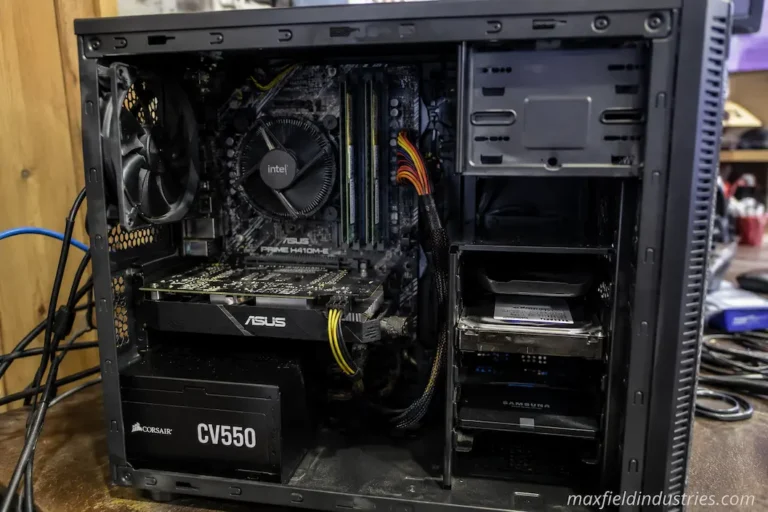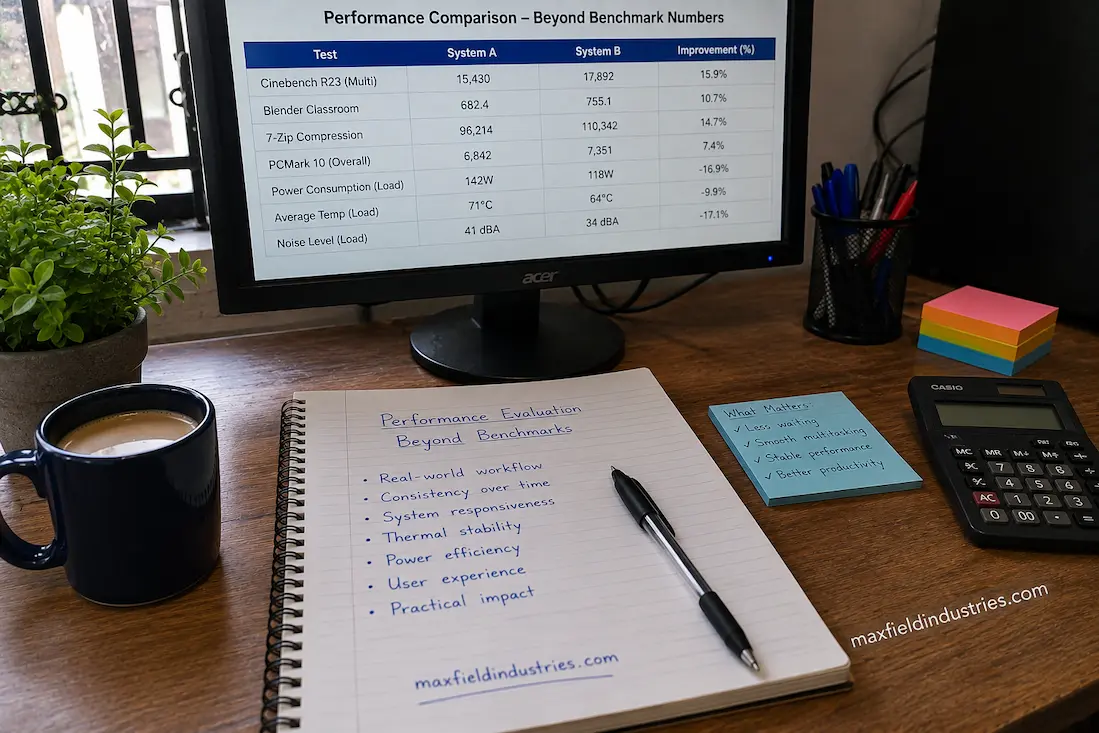
Computers generate vast amounts of measurable data. While performing a task, a single application can report on processor, memory, storage, and graphics card usage, as well as network traffic and hundreds of other runtime statistics. Benchmark software goes a step further, presenting performance as a single score that appears to summarize overall performance.
While these figures are useful, they do not provide a complete picture.
A benchmark might demonstrate that, under identical conditions, one processor completes a mathematical task faster than another. However, it cannot determine whether a software developer can finish a project more quickly, whether a designer experiences smoother editing, or whether an office computer feels faster after months of continuous use. These outcomes depend on many factors that controlled performance tests cannot capture.
Assessing a performance improvement, therefore, involves more than just checking whether a score has increased. To do this effectively, you need to know what changed, where the change occurred, and how it affects the computer’s day-to-day operation.
A Benchmark Measures an Event, Not an Entire Experience
Benchmarking is a widely used method for comparing hardware, as it creates reproducible test conditions. Since all systems under test are subjected to the same workload, evaluators can compare results with a high degree of confidence.
This approach answers a key question:
How did this configuration perform in this test?
However, it fails to answer other important questions:
- Did server responsiveness remain consistent while background services were running?
- Did the temperature remain stable as the workload increased?
- Did power consumption fluctuate significantly?
- Were the results consistent across multiple tests?
- How did the computer perform without running benchmark programs?
These questions are crucial because computers run benchmark software for only a brief time each day. Their primary task is supporting operations where multiple processes must work together simultaneously.
Therefore, benchmark results should not be viewed as the definitive answer but rather as one finding within a more comprehensive evaluation.
Progress Is Meaningful Only When It Solves a Practical Limitation
Solving a problem that typically has no impact on daily work offers little benefit in terms of performance improvement.
For example, suppose a hardware upgrade improves the speed of a specific calculation within an application by 20%. Even if that calculation takes only a few seconds per week, the improvement is technically accurate but insignificant.
Now, let’s consider a different scenario.
When switching between complex projects, workstations repeatedly stall due to temporary resource constraints. Eliminating these interruptions might not yield massive performance gains, but it immediately transforms the daily user experience, as it addresses operations repeated hundreds of times a week.
The differences between these examples reveal an important distinction.
Performance metrics should focus not only on the magnitude of the improvement but, more importantly, on how frequently and effectively they resolve issues.
Changes in performance over time do not solely reflect peak values.
Computers usually keep working after completing a single demanding task.
They are constantly at work.
Throughout the day, applications open and close at various times. Software updates run in the background while files are being downloaded. Security programs perform regular scans, cloud storage synchronizes files, and communication platforms remain active even when not in use.
Looking at Performance Over Time Reveals More Than Peak Results
A system capable of running stably for eight hours is likely more productive than one that scores slightly higher in benchmarks but slows down unpredictably under heavy load.
For this reason, long-term observations often yield insights that short-term tests cannot capture. A platform’s overall quality usually depends less on a single performance metric and more on its stability under changing conditions.
Improvement Should Be Evaluated From the User’s Perspective
Since figures are easier to compare than human experiences, technical terms are often used to describe performance.
Ultimately, however, the goal of computers is to help people.
Although another computer might achieve a higher overall score, the system has met its objective if documents open smoothly, projects are completed on time, and applications remain responsive throughout the workday.
Conversely, if latency continues to affect daily operations despite high benchmark performance, numerical advantages become meaningless.
From this perspective, technical metrics are not meaningless; rather, they are viewed within the context of human interaction.
Truly effective performance improvements are those that users can consistently perceive, resulting from the reduction or elimination of recurring issues.
Efficiency Can Represent Progress Even When Speed Changes Very Little
People often view performance solely in terms of getting things done faster.
Technical analysis, however, views growth from a broader perspective.
Even if two systems take roughly the same amount of time to complete a task, one might consume less power, generate less heat, operate with quieter fans, or maintain greater stability.
While these changes may not significantly impact benchmark results, they still represent important steps forward.
If the hardware maintains the same level of responsiveness while consuming fewer resources, more headroom becomes available for background tasks or future software enhancements.
Focusing exclusively on program execution times may cause you to overlook these less obvious signs of progress, even though they are crucial for long-term viability.
Different Measurements Describe Different Aspects of Performance
No single metric captures every characteristic of a computer.
Instead, each type of measurement reveals one part of a much larger picture.
| Measurement | What It Helps Explain |
|---|---|
| Completion time | How long a task requires from start to finish |
| Resource utilization | Which hardware components perform most of the work |
| Response consistency | Whether performance remains predictable across repeated tasks |
| Thermal behavior | How operating temperatures change during sustained workloads |
| Energy efficiency | How effectively the system performs relative to its power consumption |
None of these observations should be interpreted independently.
Meaningful evaluation emerges by considering how they relate to one another rather than relying on a single figure to represent the entire computing experience.
Asking Better Questions Produces Better Evaluations
Professionals responsible for validating system performance often begin with questions rather than measurements.
Instead of asking whether a benchmark score increased, they may ask:
- Has the original performance limitation actually disappeared?
- Which stage of the workflow changed most significantly?
- Are improvements consistent across repeated workloads?
- Has responsiveness improved without introducing new compromises?
- Does the system now perform its intended role more effectively?
These questions shift attention away from isolated numbers and toward practical outcomes.
They encourage evaluation based on observable improvements instead of assuming that larger benchmark scores automatically represent better computing.
The Same Score Can Represent Different Experiences
Benchmark comparisons often encourage a simple conclusion: if two computers achieve similar results, they should deliver similar performance. In practice, identical scores can conceal meaningful differences in how systems behave during everyday operation.
One computer may maintain steady responsiveness while dozens of browser tabs remain open, background backups continue, and several applications compete for resources. Another may produce nearly the same benchmark result but become noticeably less responsive whenever multiple activities occur simultaneously.
Both benchmarks are correct.
They simply measured a specific workload under defined conditions.
This highlights an important principle of performance evaluation: numbers describe what happened during the test, while practical assessment examines how the computer behaves throughout normal use. Those are related observations, but they are not interchangeable.
Performance Should Be Repeatable, Not Occasional
An improvement becomes far more valuable when it can be reproduced consistently.
A processor that briefly reaches exceptionally high operating speeds during a short benchmark demonstrates impressive peak capability. If prolonged workloads eventually reduce that performance because of changing thermal conditions or increasing resource demands, the overall benefit may be smaller than expected.
The same concept applies throughout a computer system.
Storage performance should remain dependable during large transfers rather than only while temporary cache resources are available. Memory should continue supporting demanding applications without introducing instability after extended sessions. Network hardware should provide predictable communication throughout the workday instead of alternating between excellent and inconsistent behavior.
Consistency turns isolated performance into dependable performance.
This is one reason long-term observation often reveals characteristics that isolated testing cannot fully capture.
Productivity Cannot Always Be Expressed as a Score
One of the most overlooked aspects of performance evaluation is that computers support workflows rather than benchmarks.
A legal professional reviewing contracts, a researcher organizing reference material, and a software engineer compiling applications all interact with technology differently. Their productivity depends on the rhythm of their work, the software they rely upon, and the frequency with which they encounter delays.
An improvement that shortens a recurring task performed hundreds of times each day may provide greater overall value than a dramatic acceleration of an operation that occurs only occasionally.
Looking at performance from this perspective shifts the emphasis away from isolated measurements and toward cumulative efficiency.
The question changes from:
“How much faster is this computer?”
to:
“How much smoother has the entire working process become?”
Those are fundamentally different ways of evaluating success.
Measuring One Resource Rarely Explains the Entire System
Modern computers distribute work across numerous interconnected resources.
During a single project, the processor interprets instructions, memory stores active information, storage devices retrieve data, graphics hardware updates visual output, and network interfaces exchange information with external systems. These operations often overlap continuously.
Observing only one resource therefore provides an incomplete understanding of performance.
A processor operating below maximum utilization does not necessarily indicate unused potential. It may simply be waiting for information from another subsystem. Likewise, high storage activity does not automatically identify storage as the primary limitation if software behavior or memory management is influencing overall responsiveness.
Meaningful evaluation considers these relationships collectively rather than interpreting each measurement independently.
Improvement Sometimes Means Removing Variability
Performance discussions naturally focus on speed, as it is easy to quantify.
Yet many successful hardware improvements reduce inconsistency rather than dramatically increasing throughput.
Consider a workstation that occasionally pauses while handling complex projects. If an upgrade eliminates those interruptions without substantially changing benchmark scores, the improvement remains significant because work proceeds more predictably.
Similarly, reducing fluctuations in operating temperatures, improving firmware stability, or decreasing resource contention between applications can create a noticeably smoother experience despite producing only modest numerical changes.
These forms of improvement are valuable because they enhance confidence in the system. Users spend less time adapting to unexpected slowdowns and more time concentrating on their work.
Viewing Performance as a Collection of Behaviors
Rather than searching for one definitive measurement, experienced evaluators often examine several complementary observations.
| Observation | Why It Matters During Evaluation |
|---|---|
| Workflow completion | Shows whether meaningful tasks require less time overall. |
| System responsiveness | Indicates how smoothly the computer reacts during normal interaction. |
| Long-session consistency | Reveals whether performance changes after sustained use. |
| Resource balance | Helps identify whether one subsystem is limiting the rest of the platform. |
| Operational efficiency | Demonstrates how effectively the system performs without unnecessary resource consumption. |
Looking across multiple behaviors creates a more complete understanding than relying on a single benchmark result.
Good Evaluation Begins With the Original Objective
Performance tests are most effective when a specific question needs to be answered.
Evaluations should focus on simulations that require significant processing time—such as when a computer is upgraded to handle a complex technical simulation. The goal should be to facilitate the simultaneous execution of multiple tasks, particularly in day-to-day office work. Success should be measured by this user experience, not by irrelevant benchmark categories.
Starting with the initial objective helps avoid drawing incorrect conclusions.
It also helps to distinguish between measurable changes and truly significant improvements. If benchmark improvements do not enhance the specific operations that necessitated the upgrade in the first place, they are meaningless.
Viewing performance through the lens of the objective allows the focus to remain on solving real-world problems rather than simply gathering more data.
Looking Beyond the Charts
Performance charts remain useful because they provide a standard method for comparing hardware in repeatable scenarios. They provide important points of comparison and help identify differences that are difficult to measure using other methods.
However, they do not reflect the computer’s full performance capabilities.
A computer’s true capabilities only become apparent after weeks or months of daily use—as tasks evolve and various physical resources work in concert to execute those tasks effectively. At this stage, responsiveness, stability, efficiency, and reliability become just as important as raw throughput.
Understanding this holistic perspective enables a more thorough evaluation. Benchmark scores are no longer the sole definition of performance; instead, they serve as just one of many indicators helping us understand how well a computer handles the tasks for which it was designed.
Conclusion
Comparing benchmark scores is not the only way to assess performance improvements. Numerical measurements aid technical understanding, but they reveal only a small part of the broader computing experience. Smoother workflows, consistent responsiveness, stable long-term performance, efficient resource utilization, and the successful removal of constraints that previously hindered efficient work are all hallmarks of progress.
Viewing performance from a broader perspective allows people to make decisions based on real-world results rather than isolated statistics. This shifts the focus from achieving the highest score to learning how to use technology in everyday life. In the long run, real-world changes are often the most important factors.