People often decide to upgrade their computers by comparing new hardware with old. Product pages frequently highlight increased capacity, higher speeds, and newer technologies, leading users to mistakenly believe that any upgrade makes the product better suited for daily use.
However, the reality is more complex.
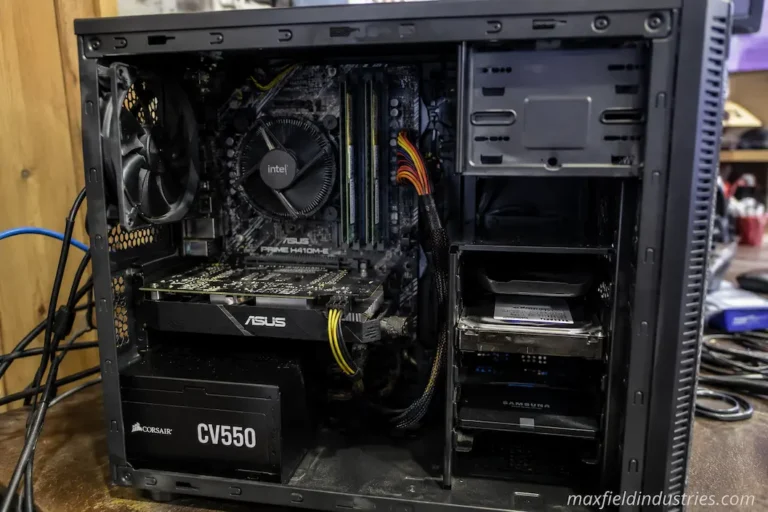
Every upgrade comes with a cost. Investing in an upgrade for one component means those resources cannot be used elsewhere, and any change affects the system as a whole—a complex assembly of interconnected parts. For instance, upgrading the processor might necessitate replacing the motherboard. If a task is currently limited by memory capacity, faster storage speeds may offer no benefit. If the speed improvement occurs in areas users rarely notice, even a significant boost might have a negligible impact on the actual user experience.
That is why experienced technicians rarely start by asking, “Which component is the fastest?” Instead, they first consider whether the expected improvement justifies the investment of money, time, and effort. They also take the computer’s expected lifespan into account. In most cases, the best upgrade isn’t necessarily the one with the highest average rating, but rather the one offering the best price-to-performance ratio.
An Upgrade Is a Decision, Not Just a Purchase
People sometimes view hardware upgrades as isolated purchases, but in reality, they represent choices about how resources are allocated. Suppose a computer slows down during certain tasks. The initial impulse might be to buy the latest processor or the fastest storage available. However, slowdowns can stem from various causes, each requiring a different solution. Purchasing powerful hardware without first identifying the root cause often leads to disappointment, as the underlying problem may remain largely unchanged. Instead of browsing product catalogs, start by analyzing your workload for a more comprehensive assessment.
If processing large technical models takes longer than expected, it is far more useful to identify where the time is being spent than simply to compare specifications. Does the processor run at full capacity throughout the task? Is available memory consistently fully utilized? Is excessive storage usage becoming an issue? Or does the program rely on operations that fail to effectively leverage additional hardware resources?
Only by finding the answers to these questions can you determine whether a change is worthwhile.
Performance Improvements Should Be Measured in Context
Performance gains are usually expressed as a percentage, as this facilitates comparison. Hardware advertisements promising a 25% performance boost may look appealing, but the true significance of that figure depends on how the computer is actually used.
Reducing project duration from four hours to three represents a massive improvement, as the time savings quickly add up when the same operation is performed repeatedly. In percentage terms, however, cutting an application’s startup time from three seconds to two might seem negligible—and after a few days of normal use, many users might not even notice the difference.
Consequently, the same numerical improvement can have vastly different practical implications.
This explains why experts focus on results rather than just percentages. They do not simply ask how much faster a component performs in controlled tests; instead, they ask whether the change actually improves the user experience.
Context can transform raw performance data into useful information, enabling better decision-making.
The Most Expensive Upgrade Is Not Automatically the Best Investment
People often discuss technology with the assumption that increased investment equates to greater improvement. However, this is not the case in the computer hardware industry.
Performance gains are typically curvilinear rather than linear. Early upgrades often yield significant improvements because they address the current system’s primary issues. However, as performance increases, the benefits of each additional investment generally diminish. Engineers call this pattern “diminishing returns.”
A workstation with limited memory may experience a significant speed boost from a modest memory upgrade, as it no longer requires frequent access to storage. Conversely, increasing memory far beyond the workload’s requirements—even at a higher cost—may yield little additional benefit.
The same principle applies to many different types of devices. Upgrades can resolve major system issues; often, once the problem is fixed, the gains in benchmark results outweigh the actual improvements in daily productivity.
One of the most important aspects of long-term hardware planning is understanding the tipping point where added value begins to decline. This helps you distinguish between genuine transformation and costlier, incremental adjustments.
Cost Extends Beyond the Price Tag
When evaluating upgrades, purchase price is usually the first figure people consider. It is rarely the only cost involved.
Replacing one component may introduce several additional expenses that are not immediately obvious during the buying process.
A processor upgrade, for example, could require:
- A compatible motherboard.
- Different memory modules.
- A higher-capacity cooling solution.
- Additional installation time.
- Operating system or firmware updates.
Although each individual expense may appear manageable, their combined impact can significantly alter the overall value of the upgrade.
Even less obvious factors deserve consideration. Time spent transferring data, reinstalling software, validating system stability, or learning new hardware features all represent investments, despite not appearing on a sales receipt.
Evaluating upgrades through this broader perspective often leads to different conclusions than comparing component prices alone.
Some Upgrades Improve Efficiency More Than Speed
Not every successful upgrade is measured by shorter benchmark times.
Certain improvements primarily enhance consistency, responsiveness, or reliability rather than dramatically increasing raw performance.
Replacing an aging storage device may reduce delays caused by inconsistent read behavior. Improving cooling can help maintain stable operating conditions during extended workloads. Expanding available memory may reduce interruptions caused by excessive background storage activity, even if processor utilization changes very little.
These improvements contribute to the overall computing experience because they reduce friction rather than maximizing peak capability.
This distinction matters because users often evaluate their computers subjectively. A system that responds predictably throughout the day frequently feels faster than one capable of brief periods of exceptional performance followed by noticeable slowdowns.
Considering efficiency alongside speed creates a more balanced understanding of upgrade value.
The Existing System Determines the Value of Every Upgrade
No hardware component delivers identical benefits in every computer.
Its value depends heavily on the environment into which it is introduced.
A high-performance storage device installed in a platform with limited interface bandwidth cannot demonstrate its full capabilities. Likewise, additional processor performance may produce modest improvements if workloads are already constrained by software that relies heavily on storage access or available memory.
Because of these interactions, experienced system builders evaluate the computer as a complete platform before recommending any upgrade.
Rather than asking which product performs best in isolation, they examine how the proposed component will interact with the existing hardware configuration. Compatibility, workload characteristics, power requirements, thermal conditions, and expansion possibilities all influence whether the investment is likely to deliver the expected improvement.
This systems-oriented perspective often prevents unnecessary spending while producing more balanced upgrade decisions.
Thoughtful Upgrades Begin With Clear Objectives
The most effective upgrade plans rarely begin with product announcements or promotional offers.
They begin with a clearly defined objective.
A professional editor may wish to shorten export times for large video projects. An engineering workstation might need to manage increasingly complex simulations. A family computer could simply require smoother multitasking as everyday software becomes more demanding.
Each objective points toward a different evaluation process because success is measured differently in every case.
When the intended outcome remains clear, comparing upgrade costs against expected performance gains becomes considerably more meaningful. The discussion shifts away from buying the newest hardware and toward selecting improvements that directly support the work the computer is expected to perform.
That change in perspective often results in more efficient investments and systems that remain well balanced long after the upgrade has been completed.
Looking Beyond Immediate Results
One of the easiest mistakes during an upgrade decision is evaluating success too soon. Installing new hardware often creates an immediate sense of improvement because the system has been cleaned, software has been updated, and expectations are naturally high. Those first impressions, however, do not always reflect how valuable the upgrade will be after several months of regular use.
A more meaningful evaluation considers whether the improvement continues to benefit everyday work. If a faster storage device saves only a few seconds during occasional file transfers, its impact may become less noticeable over time. By contrast, an upgrade that consistently reduces waiting during repeated tasks can improve productivity every day, even if benchmark results appear less dramatic.
The real measure of value is not how impressive an upgrade feels during the first week but how often it continues solving the problem it was purchased to address.
Every Upgrade Has an Opportunity Cost
Choosing one upgrade usually means postponing another.
This is why experienced system planners rarely evaluate components independently. Instead, they compare several possible investments before deciding where available funds will produce the greatest overall benefit.
Consider a computer with limited memory, an aging storage drive, and a processor that still performs reliably for its intended workload. Replacing the processor may seem attractive because it represents the most recognizable upgrade. However, if insufficient memory and slower storage are responsible for most delays, allocating the budget toward those areas may produce a far more noticeable improvement.
The comparison is not simply between old hardware and new hardware. It is between multiple possible ways of improving the same system.
Thinking in terms of opportunity cost encourages more deliberate decisions because every purchase is evaluated against the alternatives that must be postponed or abandoned.
Improvements Become Harder to Notice as Systems Mature
Early upgrades often transform a computer because they remove obvious limitations. As a system becomes more balanced, additional improvements tend to become progressively smaller.
This pattern appears across nearly every category of computer hardware.
A computer that struggles because it lacks sufficient memory may become noticeably smoother after a practical upgrade. Once memory is no longer a limiting factor, investing in significantly more capacity often produces only modest changes for the same workload.
The relationship can be illustrated without focusing on any single component.
| Stage of the System | Typical Effect of an Upgrade |
|---|---|
| Major performance limitation exists | Noticeable improvement in everyday use |
| Most bottlenecks have been addressed | Moderate gains under specific workloads |
| System is already well balanced | Smaller improvements despite higher investment |
Recognizing this progression helps prevent unrealistic expectations. A system that already performs efficiently usually requires larger investments to achieve comparatively modest improvements.
Compatibility Can Influence Value More Than Performance
When comparing products, people often focus solely on the performance of the product itself, overlooking compatibility with other devices. In practice, however, compatibility is often the deciding factor in achieving expected improvements.
If an upgrade is perfectly compatible with existing hardware, firmware, and software, the results are usually predictable. But if an upgrade causes compatibility issues, achieving optimal performance—and ultimately realizing full potential—may require additional configuration, firmware adjustments, or even hardware replacement.
This broader perspective changes how we evaluate products.
Experienced buyers often ask, “Which product is best for my system?” rather than “Which product is faster?”
The product with the highest specifications does not always provide the answer. The product that offers the greatest practical improvement while maintaining platform balance is usually the best choice.
Workload Patterns Should Guide Spending Decisions
Due to significant differences in workloads, even two people with nearly identical computer configurations might ultimately require drastically different upgrades.
If you primarily work on large multimedia projects, you might want to reduce workflow time during lengthy rendering processes. Users who spend most of their day working with documents, web applications, and communication tools will likely benefit more from improvements that facilitate switching between different tasks.
There is no single right way to do things, as the value of a computer depends on how it is used.
This is one reason why general upgrade recommendations should be approached with caution. Recommendations that work in one context may be useless in another, depending on the workload. Considering how products will be used before comparing them often makes it easier to choose the right upgrade.
Delaying an Upgrade Can Sometimes Be the Better Decision
While marketing for technology products naturally encourages frequent upgrades, replacing hardware immediately is not always the best choice.
If the computer can continue to handle the current workload without noticeable slowdowns or reliability issues, delaying the upgrade may be better in the long run. Waiting gives new hardware time to improve, allows firmware support to evolve, lets prices stabilize, and extends the lifespan of existing devices.
Sometimes, simply replacing a single component yields little benefit, as the platform housing that component may be nearing the end of its viable upgrade path. In such cases, it is better to save the money for a major system upgrade later rather than making minor changes now.
Therefore, choosing not to upgrade does not always mean progress has stalled; it can be a well-considered choice rather than an impulsive decision.
Taking a Closer Look at the Value of Upgrades
Truly significant upgrade decisions are rarely based on a single parameter or specification. They are often made only after the interrelationships between the computer, the task, and the funding required for measurable improvements have become clear.
The following questions provide a useful framework when evaluating any upgrade:
| Evaluation Question | Why It Matters |
|---|---|
| Which task actually feels slow? | Identifies the real performance limitation rather than relying on assumptions. |
| Will this upgrade solve that limitation? | Prevents investing in hardware that addresses the wrong problem. |
| Are additional components required? | Reveals hidden costs that may change the overall value of the upgrade. |
| How long is the current system expected to remain in service? | Helps determine whether the investment fits the remaining lifespan of the platform. |
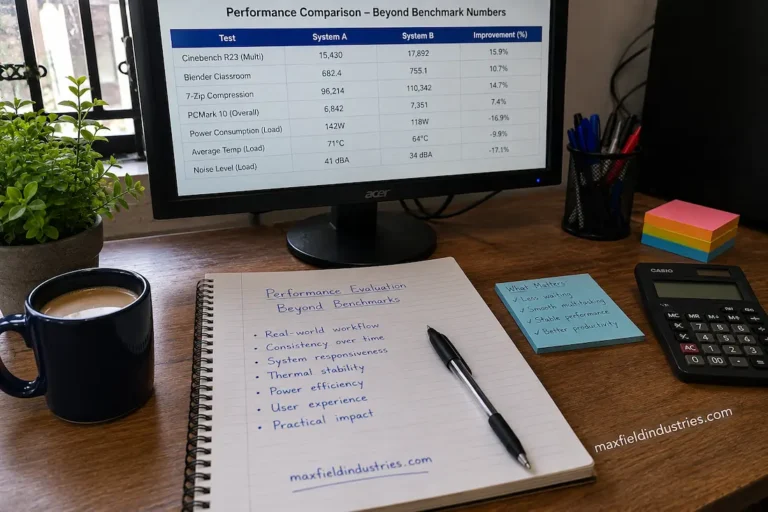
| Will everyday work noticeably improve? | Keeps the focus on practical results instead of benchmark numbers. |
These questions encourage decisions based on measurable outcomes rather than product marketing alone.
Conclusion
When comparing performance gains and upgrade costs, the priority is not simply choosing the fastest hardware, but finding an investment that makes a truly significant difference. While specifications and benchmark results provide a wealth of information, they represent only a small fraction of the many factors to consider. Workload, platform compatibility, long-term goals, and diminishing returns are the main factors in deciding whether an upgrade is worthwhile.
Viewing upgrades from a broader perspective shifts the focus from merely buying new hardware to making well-informed choices. In most cases, the best upgrade isn’t the one with the highest performance figures, but the one that solves the actual problem while maintaining the system’s balance, reliability, and usability for years to come.
FAQs
1. Why isn’t the fastest component always the best upgrade?
Performance gains depend on the system type and the workload. If the slowest component in your computer is actually something else, adding a faster component might not make a significant difference.
2. What does it mean if a hardware upgrade doesn’t yield a significant benefit?
When a higher price doesn’t significantly improve actual performance—even if benchmark results keep improving—we speak of diminishing returns.
3. Should benchmark results be the sole basis for an upgrade decision?
No. Benchmark results are useful for comparing performance in controlled environments, but before purchasing, you should also consider workload, compatibility, stability, and long-term value.
4. Why should hidden costs be considered when upgrading?
Some upgrades require additional hardware, firmware updates, installation time, or software configuration. Taking these factors into account provides you a more accurate picture of the total investment costs.
5. Is it sometimes wise to postpone upgrades?
Yes. If the system still meets current needs, postponing upgrades gives the technology more time to mature, lowers costs, and yields greater improvements when the upgrade eventually becomes necessary.