People often think that hardware maintenance starts only after they have assembled or purchased a computer. This includes cleaning out dust, upgrading software, managing storage, and replacing outdated components when necessary. These are just a few of the many tasks involved in maintenance, yet most users are unaware of these obligations. Ultimately, the amount of maintenance a computer requires depends largely on the choices the user makes before pressing the power button for the first time.
Every hardware choice sets certain expectations for the future. Smaller cases significantly affect airflow characteristics compared to larger ones and impact the ease of handling internal components. Standardized parts make future repairs easier. Proprietary designs can limit replacement options years down the line. Even seemingly minor decisions—such as the placement of storage devices or the design of cooling components—can influence the time and effort required for routine maintenance throughout the system’s lifespan.
For this reason, experienced system builders typically view hardware from two distinct perspectives. They consider not only component performance when the system is new but also the ease of maintenance after hundreds or even thousands of hours of use. While performance may grab attention when buying a computer, maintainability is often the key factor determining long-term reliability.
Smart Hardware Choices Often Pave the Way for Effective Maintenance
People often equate maintenance with cleaning, replacing worn-out parts, or upgrading software. In reality, one of the best maintenance strategies is selecting hardware that minimizes future maintenance needs.
Take, for example, two desktop computers with comparable processor performance. One computer features a well-ventilated case with removable dust filters, ample space for cable management, and standard mounting points. The other computer has a compact design with less space around key components, making routine maintenance more difficult.
Initially, these two computers may perform similarly. Over time, however, their maintenance requirements will differ drastically. With one computer, cooling components can be cleaned, storage devices replaced, or memory upgraded in just a few minutes; the other requires extensive disassembly and reassembly.
This is not a difference in the quality of maintenance itself. Ease of maintenance is determined by design choices made from the very beginning.
Accessibility Is an Engineering Consideration, Not Just a Convenience
Ease of use plays a crucial role when engineers consider maintainability. Components that can be inspected, removed, or replaced without affecting other parts minimize maintenance time and the risk of damage.
This principle is not limited to desktop computers.
Enterprise servers often feature tool-less hard drive bays, as storage devices may need replacement without disrupting other equipment. Some business laptops also include dedicated access panels for memory or storage upgrades. Network equipment typically features logically arranged connectors and status indicators, allowing technicians to perform maintenance without dismantling the chassis.
Marketing materials rarely highlight these designs, as they do not boost baseline performance. However, they significantly impact the actual user experience throughout the product’s lifespan.
Ease of use also encourages preventive maintenance. When cooling fans, filters, or internal components are easy to access, users are more likely to perform routine checks. Conversely, hardware that is difficult to access receives less frequent maintenance, allowing dust or minor issues to accumulate over time.
Cooling Design Influences More Than Operating Temperature
People often judge a computer’s performance by its ability to manage processor or graphics card temperatures, but the role of a cooling system extends far beyond that.
A well-designed cooling system can reduce the maintenance workload over the long term.
Airflow patterns within a computer determine where dust accumulates most readily. Fan placement influences how debris spreads throughout the chassis. The configuration of intake and exhaust vents affects cooling efficiency and the frequency with which filters or internal surfaces need cleaning.
A system that draws most of its air through filtered intakes generally keeps sensitive components cleaner than a system with multiple unfiltered airflow paths. While both systems may function well initially under suitable temperature conditions, their maintenance requirements will differ as dust accumulates.
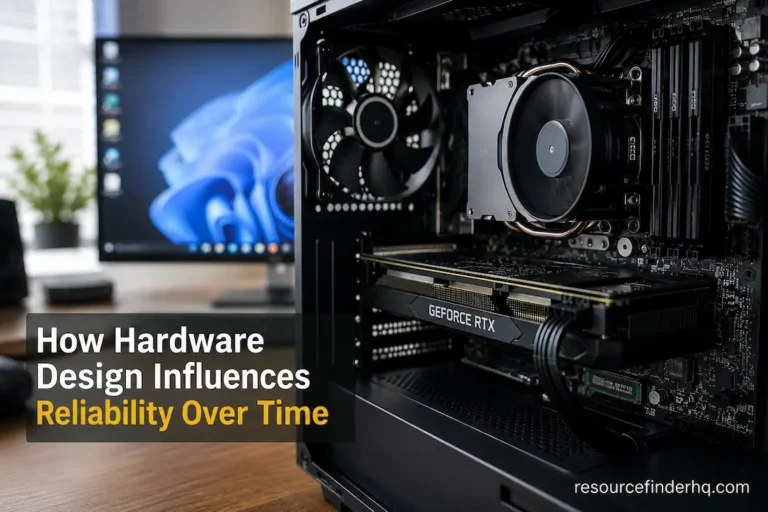
Even cooling hardware benefits from smart design. Fans operating within their normal speed range generally experience less mechanical stress than those running constantly at or near maximum capacity. Heatsinks should be positioned to ensure unobstructed airflow, thereby providing adequate cooling even at lower fan speeds.
These design factors influence reliability and the amount of maintenance required.
Standardization Makes Future Maintenance More Predictable
One reason standardized hardware has remained important throughout the evolution of personal computers is that it simplifies maintenance long after a product’s market launch.
Industry standards ensure consistency.
Technicians familiar with one standardized installation method can usually handle others with ease. Replacement parts are generally easier to obtain, documentation is more comprehensive, and industry-wide maintenance procedures are easier to understand.
Conversely, highly customized hardware can sometimes create unnecessary maintenance issues. While such hardware may function well during use, maintenance becomes difficult when parts need replacing—for instance, when dealing with proprietary connectors, specialized mounting systems, or non-standard component dimensions.
However, this does not mean that proprietary designs are inherently bad. Many proprietary designs solve specific technical challenges or achieve compact form factors that would be difficult to realize using standardized components.
Yet, there are significant trade-offs.
A higher degree of customization often entails greater reliance on manufacturer-specific parts, documentation, or maintenance procedures. As equipment ages, these resources may become harder to source, thereby complicating future maintenance.
The Impact of Expansion Planning on Long-Term Maintenance
When selecting hardware, expansion capabilities for future upgrades are often considered, yet the impact of these choices on maintenance is rarely discussed.
Computer systems designed with sufficient expansion capacity typically do not require major modifications when computing needs change.
For example, you might require more storage space after a few years. If your computer has spare hard drive bays and an easily accessible power connector, upgrading is usually straightforward. Conversely, if internal space is limited, you may need to replace existing hardware or reconfigure the internal layout.
The same applies to memory expansion. Planning for future expansion reduces maintenance complexity by enabling functional upgrades through planned additions rather than the replacement of entire components.
Thus, expansion planning not only reflects flexibility but also forms part of a maintenance strategy that naturally adapts to changing needs.
Physical Layout Affects Routine Service More Than Expected
The arrangement of internal hardware can determine how easily professionals can inspect, clean, or replace components during routine maintenance.
A well-designed layout facilitates access to frequently serviced parts and minimizes interference with components unrelated to the maintenance task. Cable management is crucial; effective cable management improves airflow and makes it easier for users to inspect storage devices, cooling systems, and expansion cards without unnecessary extra steps.
Conversely, a compact layout may require the disassembly of numerous components just to reach the specific part needing attention. Each additional step extends maintenance time and increases the risk of damaging connectors, cables, or mounting hardware.
For these practical reasons—even when physical dimensions are not the primary concern—desktop and server systems typically prioritize a logical internal architecture. Ease of maintenance directly enhances long-term operational efficiency.
Maintenance Is Also About Reducing Future Uncertainty
Carefully selected hardware not only simplifies routine maintenance but also reduces uncertainty when unexpected issues arise.
Systems built using widely supported components generally offer advantages such as better documentation, a larger user base, and easier access to replacement parts. Technicians often already have experience with similar devices across various application scenarios, making diagnostic procedures easier to follow.
If components are rare or highly specialized, troubleshooting can take longer, simply due to a lack of sufficient reference material or alternative components. From a maintenance perspective, predictability is crucial. A system can remain viable long after its initial deployment because spare parts, firmware updates, and technical information are likely to remain available in the future.
Sound hardware choices are not only beneficial in the present but are also essential for confidence in future maintenance efforts.
Long-Term Support is Often More Important Than Initial Specifications
When we compare hardware, we naturally focus on specifications that we can immediately assess, such as processing power, storage capacity, memory speed, or graphics performance. While these characteristics certainly influence system performance at the time of deployment, they offer no indication of how manageable the system will be years later.
Long-term maintenance also depends on ongoing platform support.
Firmware updates, drivers, and manufacturer-provided documentation are essential to ensure reliable device operation throughout its entire lifespan. Products that receive continuous firmware updates remain compatible with evolving software environments for longer than products that largely discontinue post-delivery support.
Support also impacts troubleshooting. Comprehensive hardware documentation—such as repair manuals, diagnostic procedures, and compatibility information—enables technicians to easily identify and resolve faults. Conversely, systems with incomplete documentation typically require more investigation before routine maintenance can be performed.
From the user’s perspective, the completeness of the hardware itself and its accompanying documentation contributes to better maintainability.
Component Compatibility Simplifies Future Maintenance
When performing maintenance, replacing a defective component is usually insufficient. Technicians usually need to consider how replacing a component affects the operation of the rest of the system.
Compatibility is a crucial factor in simplifying maintenance and preventing unintended complications.
Take storage upgrades, for example. While a replacement hard drive can be installed in a computer, the installation depends on interface compatibility, firmware support, available connectors, and sometimes even the dimensions of the chassis. The same applies to memory modules, cooling systems, expansion cards, and power supplies.
Systems based on widely accepted standards tend to be more flexible, as multiple vendors continue to offer suitable replacement parts. This broader ecosystem changes the nature of maintenance decisions; it is no longer just about finding a specific part, but about addressing the entire issue.
Compatibility reduces uncertainty throughout the system’s lifecycle, especially as original components become obsolete or less common.
Maintenance Is Easier When Components Age at Similar Rates
All hardware wears out, but in different ways.
The rotating bearings of a cooling fan eventually wear out. Storage devices perform a vast number of read and write operations over their lifespan. Batteries gradually lose capacity due to repeated charge cycles, and electronic components age due to prolonged thermal and electrical stress.
If the lifespans of critical components in a system design are relatively similar, maintenance becomes more predictable. Replacements can often be scheduled in advance, thereby preventing disruptions to normal operations caused by failures.
Conversely, unequal lifespans lead to greater complexity.
If a component’s actual lifespan far exceeds that of other hardware, maintenance becomes more frequent and may require the repeated disassembly and reassembly of the same system components.
Effective engineering minimizes these imbalances by selecting components expected to work together harmoniously, rather than creating bottlenecks that necessitate repeated maintenance.
Simplicity Often Reduces Maintenance Overhead
Complex systems can perform remarkable tasks, but complexity usually translates into higher maintenance expenses.
Computers featuring multiple storage devices, expansion cards, complex liquid cooling, numerous lighting controllers, and extensive cabling offer greater customization options. However, such complexity also increases the number of components that require inspection, cleaning, firmware updates, or eventual replacement.
This does not mean, however, that complex systems are difficult to maintain. Many professional workstations feature complex hardware, yet that complexity is carefully engineered to ensure ease of maintenance.
The real difference lies in necessary versus unnecessary complexity.
Adding hardware features without improving long-term availability can increase the maintenance burden over time without offering corresponding benefits. Conversely, well-designed integration often provides advanced features while maintaining reasonable and predictable maintenance procedures.
Serviceability Becomes More Valuable as Hardware Ages
During the first months of ownership, serviceability rarely receives much attention because maintenance requirements remain minimal.
Its importance grows steadily over time.
Dust filters eventually require cleaning. Thermal interface materials may need replacement after years of continuous use. Storage capacity expands, prompting additional drives or upgrades. Cooling fans can become noisier as bearings age, and batteries naturally lose some of their original capacity.
Each of these situations is easier to address when the hardware was designed with maintenance in mind.
The relationship can be summarized as follows.
| Design Characteristic | Long-Term Maintenance Benefit |
|---|---|
| Accessible internal layout | Faster inspections and repairs |
| Standardized components | Easier sourcing of replacements |
| Organized cable routing | Simplifies cleaning and upgrades |
| Modular construction | Reduces unnecessary disassembly |
| Well-documented hardware | More efficient troubleshooting |
These characteristics may not influence benchmark scores, yet they have a substantial impact on how practical the system remains throughout its operational life.
Maintenance Is a Continuous Process Rather Than a Single Event
One of the most common misconceptions about computer maintenance is that it is only necessary when a malfunction occurs.
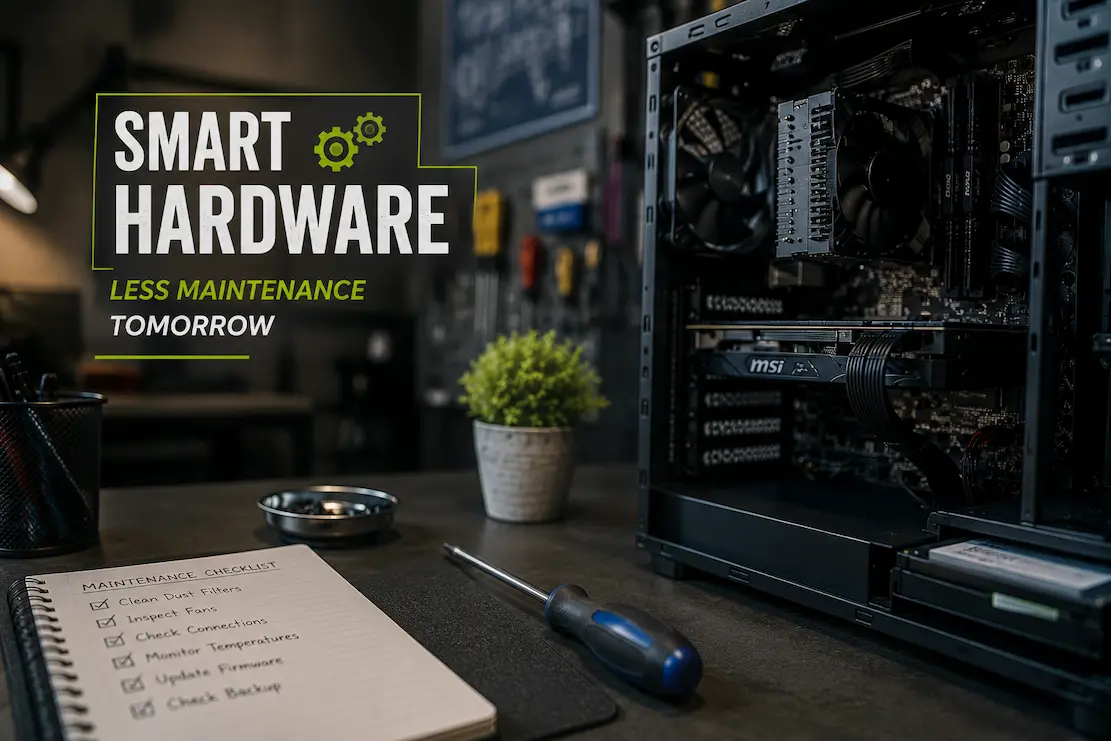
In reality, successful maintenance consists of a series of simple tasks performed throughout the system’s entire lifecycle. Cleaning cooling channels, checking storage status, applying firmware updates, inspecting connectors, and replacing aging consumables all contribute to reliable system operation.
The feasibility of these tasks depends on the hardware chosen.
Systems designed for simple routine checks are more likely to undergo preventive maintenance before minor issues escalate into major problems. Conversely, equipment that is difficult to maintain—due to inaccessible locations or complex structures—is often overlooked until performance deteriorates significantly or the device fails.
Ease of maintenance therefore affects not only the time required for repairs but also the likelihood that preventive maintenance will actually be performed.
Beyond Purchasing Decisions
Hardware selection is often viewed as a one-time event intended to meet immediate needs. In reality, every purchasing decision lays the foundation for a relationship that can span many years.
The components chosen today determine how easily the system can be upgraded, repaired, cleaned, expanded, and supported throughout its lifespan. These factors influence the availability of spare parts, the complexity of troubleshooting, and the effort required to ensure reliable operation as workloads evolve.
Discussing hardware in a broader context goes beyond mere performance considerations. It is not enough to simply ask, “How well does this system perform when it is brand new?” Equally important is considering its maintainability after years of normal use.
From this perspective, hardware that delivers strong long-term performance often differs from hardware that merely functions well.
Conclusion
Long-term maintenance does not depend on a single component or a unique technical feature. It is the result of a series of design decisions that influence accessibility, compatibility, thermal management, documentation, and maintainability throughout the system’s entire lifecycle.
Performance requirements often dominate procurement negotiations, yet maintenance needs span the hardware’s extended lifespan during daily operation. Systems designed with future maintenance in mind are generally easier to maintain, upgrade, and service, allowing them to better adapt to technological advancements. This relationship makes hardware evaluation a more comprehensive process, considering not only the computer’s current performance but also the ease of future maintenance.