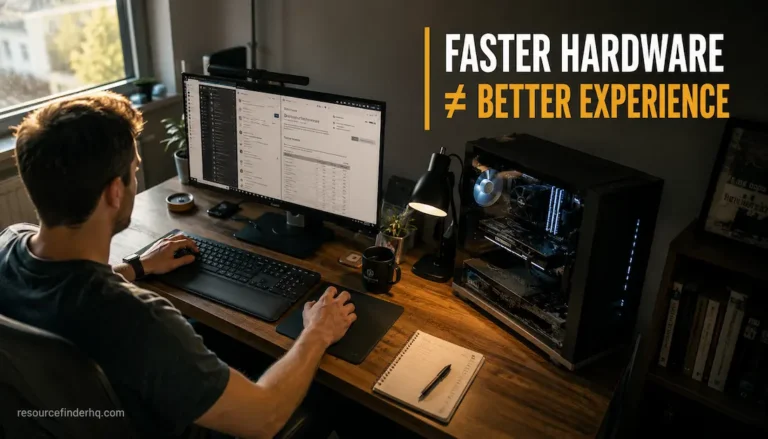
Imagine two people buying nearly identical computers. Both machines feature a fast NVMe SSD, 32 GB of RAM, an octa-core processor, and a dedicated graphics card. On paper, the two computers appear functionally identical, yet after a few weeks of use, the users’ experiences differ drastically.
One computer is used primarily for work tasks such as word processing, web browsing, and video conferencing. Everything runs smoothly, and the hardware is rarely subjected to heavy loads. The other computer is used for 4K video editing, running multiple virtual machines, and occasionally training machine learning models. Despite the nearly identical configuration, this user experiences longer render times, increased fan noise, and higher resource consumption.
The issue isn’t that one of the computers is defective or of poor quality. The key point is that hardware configurations are only effective if they meet the specific demands of the task at hand.
This is one of the most confusing aspects of how computers work. Specifications are highly valued because they are easy to compare, but the actual usage of a computer has a massive impact on their relevance. A processor perfectly suited for software development might not be very useful to someone who only watches videos, and an expensive graphics card might be unnecessary in an accounting firm.
Understanding this relationship allows us to shift our focus from buying the “most powerful” hardware to selecting components that truly help get the job done.
A Computer Doesn’t Work at Maximum Capacity All the Time
Many computer buyers assume that every component always performs at its peak. However, hardware usage varies depending on the task being performed.
When you open a web browser, your computer has to do far less work than when it is exporting a large architectural model or compiling thousands of lines of code. With simple tasks, the processor often fails to reach its full potential because the workload is insufficient to drive faster performance. Memory usage remains low, data transfer speeds are high, and the graphics hardware spends most of its time waiting for new instructions.
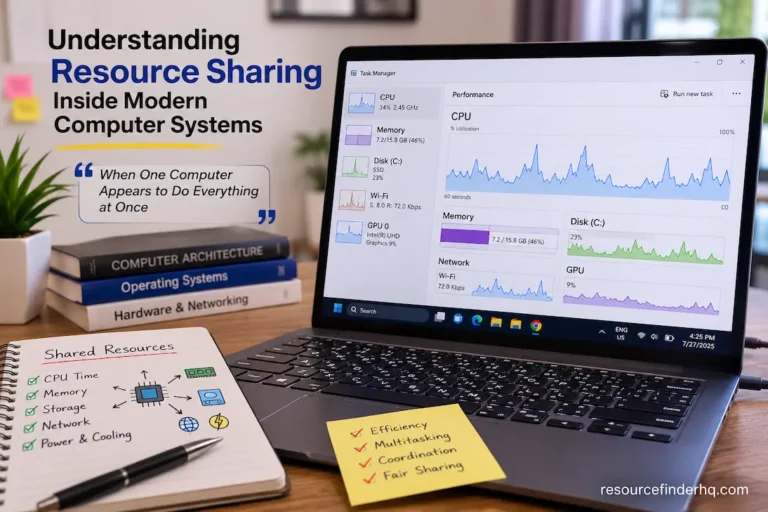
When the workload increases, the situation changes completely. Large amounts of information are shuttled back and forth simultaneously between multiple components competing for processing time, memory space, storage speed, and power.
An important point to remember is that hardware specifications are only meaningful if the workload can fully utilize them; otherwise, a great deal of potential performance is lost.
Why Different Applications Stress Different Components
No two programs do exactly the same thing. Processors, memory, storage, and operating systems are all important for every program, but the balance between them varies significantly.
A spreadsheet with just a few hundred rows does not require powerful processing capabilities, but it does need fast memory access and sufficient memory to handle multiple tasks simultaneously. Video editing software, on the other hand, must read and write large media files and constantly process massive amounts of visual information. For a long time, engineering simulations relied almost entirely on processing power. Modern games, by contrast, distribute dozens of tasks per second between the processor and the graphics hardware.
Rather than viewing all hardware components as equally critical across the board, it is better to regard each component as being specifically designed for a particular type of task.
The following comparison illustrates how workload priorities differ.
| Workload | Components That Usually Matter Most |
|---|---|
| Web browsing | Processor responsiveness, SSD |
| Office productivity | Processor, memory, SSD |
| Programming | Processor, memory, storage |
| Photo editing | Processor, memory, storage speed |
| Video editing | Processor, graphics card, memory, storage |
| 3D rendering | Graphics processor, processor, cooling |
| Virtual machines | Memory, processor, storage |
| Data analysis | Processor, memory capacity |
Notice that the same component does not appear with equal importance across every workload. The value of a specification depends on how frequently software relies upon it.
Processor Specifications Mean Different Things to Different People
Common ways to compare processors include core count, clock speed, cache size, and power consumption. While these metrics are useful from a technical perspective, you should not view them in isolation.
For users who primarily browse the web, write reports, and attend online meetings, current processors spend a significant amount of time waiting for user input. Purchasing a processor with far more computing power than these activities require may have a negligible impact on day-to-day responsiveness.
Professional workloads are entirely unique.
Software compilation, scientific modeling, engineering calculations, and media encoding are common activities that require the processor to remain active for extended periods. These applications typically run in parallel across multiple cores, utilizing more processing power and significantly reducing processing times.
However, not all processor specifications are equally valuable.
Some workloads benefit from higher clock speeds because they run sequentially, utilizing only one or two cores at a time. Other workloads distribute tasks across multiple cores, making the total core count more important than the maximum frequency.
Rather than asking which processor is “best,” it is often more useful to ask:
Which processor characteristics align with the software I use most often?
The answer varies considerably from one workload to another.
Memory Capacity Isn’t About Speed Alone
When discussing RAM, conversations frequently focus on capacity—16 GB, 32 GB, or 64 GB—as though larger numbers automatically translate into better performance.
Capacity certainly matters, but only after considering how software actually uses memory.
Applications reserve RAM to store active data that must remain immediately accessible. If enough memory is available, the operating system can keep frequently used information readily available, reducing unnecessary storage activity. Once available memory becomes exhausted, however, the operating system begins moving less active information between RAM and storage, introducing delays that users often interpret as general system slowness.
The amount of memory required depends almost entirely on workload characteristics.
A user managing email, documents, and several browser tabs may rarely approach memory limits. In contrast, someone editing large multimedia projects or running multiple virtual machines can consume tens of gigabytes within minutes.
The table below illustrates how memory demands typically scale with workload complexity.
| Usage Pattern | Typical Memory Demand |
|---|---|
| Basic office work | Low |
| Heavy web browsing with many tabs | Moderate |
| Programming environments | Moderate to High |
| Professional photo editing | High |
| Video production | Very High |
| Virtualization | Very High |
| Scientific computing | Extremely High |
Adding more memory beyond actual workload requirements often produces diminishing returns. Once sufficient capacity exists, other components usually become the next limiting factor.
A Storage System’s Performance Depends on the Frequency of Data Transfer
You often see storage systems boasting about their superior sequential read/write speeds. While these figures are useful, they represent only one aspect of storage performance.
Users who primarily work with documents or web applications may not notice a significant difference between two high-end SSDs, as files are typically small and load speeds are already quite high.
For creative professionals, however, the situation is very different.
Editing high-resolution video, managing massive photo libraries, or executing large-scale technical projects all require the constant transfer of large volumes of data between storage devices and memory. In such cases, storage bandwidth becomes increasingly important, as latency during editing can otherwise rise.
However, storage performance should not be viewed in isolation.
Fast storage enables rapid data retrieval, but if the processor handles that information too slowly, overall efficiency remains limited in other areas.
Storage specifications matter most when workloads require the continuous transfer of massive amounts of data, rather than when files are accessed only occasionally.
The Graphics Card Is Not Equally Important for Every Computer
Graphics hardware is a prime example of performance that depends on the specific task at hand.
Modern graphics processing units (GPUs) feature thousands of dedicated computing cores optimized for highly parallel applications. This makes them indispensable for gaming, animation, 3D visualization, simulations, and increasingly common artificial intelligence applications.
However, many computers function perfectly well without a dedicated graphics card. Business applications, accounting software, online research, email, and many educational tools have very low graphics processing requirements. The integrated graphics found in modern processors are usually sufficient for these types of tasks.
Real-time rendering or complex visual calculations, on the other hand, may rely more heavily on the graphics hardware than on the processor itself.
Understanding this distinction can not only save you money but also ensure that demanding professional applications have the necessary hardware resources at their disposal.
Hardware Balance Often Matters More Than Peak Specifications
One of the biggest misconceptions about computer hardware is that buying the fastest components available automatically results in the fastest computer. High-end hardware offers greater performance, but whether that performance is fully realized depends on the capabilities of the other components within the specific application.
Imagine a workstation with a powerful processor but insufficient memory. In day-to-day use, the CPU will rarely operate at full capacity; instead, it will often sit idle waiting for data input, resulting in a waste of valuable time. Conversely, if you pair an older processor with a high-end graphics card, the GPU may stutter due to long waits for rendering instructions.
Professional system builders often refer to this situation as a configuration imbalance. Their goal is not simply to optimize for a single specification, but to build a system in which components—such as the processor, memory, storage, graphics card, cooling, and power supply—work together in harmony.
The table below illustrates how balance generally influences overall performance.
| System Configuration | Likely Real-World Experience |
|---|---|
| High-end processor with limited RAM | Excellent computational ability but reduced multitasking performance |
| Powerful GPU with older processor | Graphics capability limited by processor workload |
| Fast NVMe SSD with insufficient memory | Faster loading but minimal improvement during memory-intensive tasks |
| Balanced mid-range components | Consistent performance across a broad range of applications |
For most users, a balanced system delivers smoother day-to-day performance than one built around a single premium component.
How Software Determines Hardware Specifications is Crucial
It is not the hardware itself that determines how the hardware is used, but the software that runs on it.
Every application is built differently. Some applications perform thousands of calculations per second, while others involve longer wait times for user interaction or data retrieval from memory. Software developers optimize applications for different purposes. Consequently, the same hardware can deliver vastly different performance levels depending on the program being run.
Video editing software, for instance, can distribute tasks so that the processor, graphics card, memory, and storage devices work simultaneously. Web browsers, even with multiple tabs open, typically require far fewer of these resources.
The operating system also determines how resources are allocated. Modern operating systems constantly manage active programs, memory, CPU scheduling, and memory access coordination. While this intelligent management improves responsiveness, it cannot eliminate the inherent limitations of the technology itself.
Ultimately, hardware specifications are only truly useful when software can leverage the additional resources they provide.
Understanding Diminishing Returns in Hardware Upgrades
The performance gains from hardware upgrades gradually decrease.
This phenomenon is often referred to as “diminishing returns.” It explains why replacing an old component can sometimes yield massive benefits, whereas in other cases—where the component’s performance is already adequate—the improvement is negligible.
Suppose you are using a mechanical hard drive and replace it with an SSD. Since storage speed was previously the primary bottleneck, application launch times, system boot times, and file transfer speeds will improve immediately. Now, imagine replacing that SSD with one that is supposedly twice as fast. For many everyday tasks, this difference might be imperceptible because storage is no longer the bottleneck; the workload has shifted to other system components.
The same applies to the processor, graphics card, and memory.
Understanding the point of diminishing returns can help you avoid wasting money and instead invest in components that genuinely improve efficiency.
Evaluating Specifications Based on Your Actual Work
Instead of comparing specification sheets line by line, it is often more useful to begin with a simple question:
What does this computer spend most of its time doing?
The answer should determine which specifications deserve the greatest attention.
General Productivity
For office work, online research, communication platforms, and document editing, responsiveness matters more than extreme computational power. A modern processor, sufficient memory, and a reliable SSD usually provide an excellent experience.
Creative Work
Photography, illustration, music production, and video editing involve larger files and more complex processing. These workloads benefit from additional memory, faster storage, and stronger processing capabilities because large projects remain active for extended periods.
Engineering and Scientific Computing
Simulation software, computer-aided design, and analytical applications frequently perform sustained calculations. Processor architecture, memory capacity, and thermal stability often become the highest priorities.
Gaming
Games rely on cooperation between the processor and graphics hardware. Resolution, graphical settings, and game design all influence which component becomes the primary limiting factor. A balanced combination usually delivers better results than emphasizing only one specification.
Virtualization and Development
Running multiple operating systems or development environments simultaneously increases demand for processor resources, memory capacity, and storage responsiveness. Here, available memory often becomes just as important as processor performance.
Common Mistakes When Comparing Specifications
Specification sheets make hardware easier to compare, but they can also encourage misleading assumptions.
Some of the most common mistakes include:
Focusing on a Single Number
A higher clock speed, more graphics memory, or additional processor cores does not automatically indicate better real-world performance. Hardware should always be evaluated within the context of the workload it supports.
Ignoring Compatibility
Even excellent components may fail to deliver their full potential if they exceed the capabilities of the motherboard, cooling system, or power supply.
Assuming Professional Hardware Benefits Everyone
Workstation-class processors, enterprise storage devices, or advanced graphics accelerators provide substantial value for specialized industries. However, many everyday users will never encounter workloads capable of utilizing these additional capabilities.
Upgrading Without Measuring Current Performance
Replacing hardware before identifying the actual bottleneck often results in disappointing improvements. Understanding how the existing system behaves under real workloads leads to far more effective upgrade decisions.
A Practical Decision Framework Before Buying Hardware
Before purchasing or upgrading any component, it helps to evaluate the system from a broader perspective rather than concentrating on specifications alone.
Consider the following framework:
| Question | Why It Matters |
|---|---|
| What software do I use most frequently? | Determines which hardware resources receive the greatest demand. |
| Which component currently limits my workflow? | Identifies the upgrade most likely to produce noticeable improvements. |
| Will this hardware remain useful in several years? | Encourages long-term planning rather than short-term performance gains. |
| Does the rest of my system support this upgrade? | Prevents compatibility issues and unnecessary bottlenecks. |
| Am I paying for performance my workload will never use? | Helps avoid overspending on specifications that provide little practical value. |
Approaching upgrades with these questions often produces more balanced systems and better long-term value than relying solely on benchmark comparisons.
Beyond Marketing Specifications
Manufacturers naturally emphasize the benefits of their products. Higher numbers are easier to promote and compare, but they never tell the whole story.
A processor with more cores can be advantageous for highly parallel programs, but less so for applications that rely on single-threaded performance. A graphics card capable of rendering complex scenes might spend most of its time processing spreadsheets and presentations. Similarly, high-speed storage may go underutilized if applications rarely transfer large amounts of data.
Specifications are merely guidelines regarding potential capabilities; they are not guarantees of performance for your actual workload.
The best hardware solutions are those with technical specifications that closely align with the tasks the computer performs daily.
Conclusion
Hardware specifications help describe the capabilities of individual components, but they do not exist in isolation. Different workloads place different demands on a computer, meaning the importance of processor speed, memory capacity, storage performance, graphics processing power, and thermal efficiency varies.
Recognizing this changes how hardware is evaluated. Instead of blindly aiming for the highest specifications, it is more effective to understand the nature of the work, identify the components crucial to the task, and create a balanced system where each part works efficiently with the others.
Ultimately, the best computer is not always the one with the most impressive specifications, but the one with technology perfectly tailored to the work it is intended to perform.
Frequently Asked Questions
1. Why do identical specifications not always result in identical performance?
Specifications define the individual performance of each component, but overall performance is also influenced by software optimization, component interaction, thermal efficiency, storage configuration, and the nature of the workload.
2. Is upgrading to a faster processor always better?
Not necessarily. If memory, storage, or graphics hardware acts as the bottleneck, simply replacing the processor might yield only a negligible performance improvement.
3. Why do creative applications require extra memory?
Many creative software programs process large amounts of files, samples, effects, and temporary data simultaneously, requiring more memory than standard office software.
4. Does every user need a discrete graphics card?
No. Many office and educational tasks require only integrated graphics. Discrete graphics cards are more important for gaming, 3D rendering, professional visualization, and AI-related tasks.
5. What is the importance of hardware in a software environment?
Different applications perform different tasks. Some rely heavily on the processor, while others prioritize the graphics card, memory capacity, or storage performance.
6. What is a hardware bottleneck?
A hardware bottleneck occurs when the performance of one component cannot keep up with that of other hardware components, thereby limiting the system’s overall performance.
7. How do I determine the most important components for my computer?
Start by looking at the programs you use most frequently. Applications usually indicate which hardware resources should be prioritized.