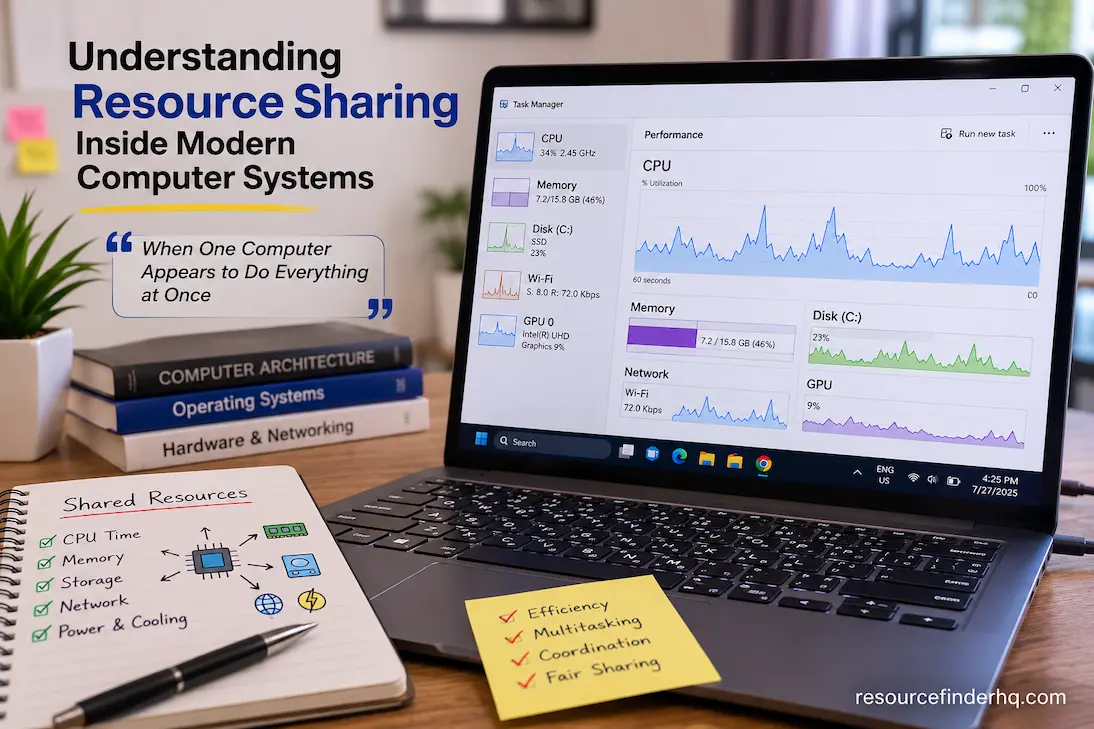
When a computer appears to perform all tasks simultaneously:
Modern computers can play high-resolution videos, synchronize data with cloud storage, download software updates, keep dozens of browser tabs open, scan for malware, and play music—all at the same time—without the user needing to worry about coordinating these activities. On the surface, everything seems to happen effortlessly. Internally, however, all these tasks compete for limited hardware resources.
The CPU cannot execute an unlimited number of instructions simultaneously. Memory is limited. Storage devices can handle only a limited number of requests at once, and communication paths between components have bandwidth constraints. Even power supply and cooling capacity become shared resources when many demanding programs run in parallel.
A fundamental characteristic of modern computer systems is the balancing of these competing demands. Hardware and software work together to allocate available resources—preventing the fastest or most demanding program from monopolizing the machine—thereby keeping the entire system responsive. Understanding this approach helps explain why computers continue to function well under complex workloads, why performance sometimes fluctuates unexpectedly, and why resource limitations cannot always be resolved simply by adding faster hardware.
A Computer Functions More Like a Cooperative System Than Independent Components
Most people think of computers as being made up of several independent components: the CPU performs calculations, memory stores current information, RAM stores files, and the graphics processor generates images. While these descriptions are technically correct, they can create the illusion that each component operates independently.
In reality, the opposite is true.
Computational tasks usually involve multiple hardware components working together. Opening an application is a prime example. The operating system loads the program into memory, schedules processor time for instructions to begin execution, and updates the displayed content via the graphics subsystem. Each stage depends on the successful completion of the previous one and requires continuous communication between all components throughout the process.
That is why modern hardware is designed to work together rather than function in isolation. Individual components have their own specific functions, but to perform necessary tasks, they share data, communication channels, and computing power with other system components.
Resource Sharing Begins Long Before an Application Starts
Many people assume that resource sharing only occurs when multiple programs are running simultaneously. In reality, the process of sharing resources begins much earlier.
When the operating system boots up, it first reserves memory, initializes hardware controllers, establishes connections to storage devices, and sets up scheduling mechanisms for future workloads. By the time you launch your first application, most system resources have already been allocated to the core services that support all other functionality.
These existing resource allocations shift continuously as software starts up. Memory regions are reallocated. Processor scheduling decisions change. Storage requests are reordered. Communication bandwidth is allocated based on current activity.
This dynamic behavior means that resource sharing is not a static configuration established at startup; it is an ongoing process that adapts to changing workloads.
Resource Allocation is Not Uniform
People often use the term “system resources” in a broad sense, yet different resources require different methods of coordination. Some resources can be shared by multiple tasks, which can be broken down into shorter time intervals with minimal interference. To maintain consistency and prevent conflicts, other resources must be used incrementally.
The following comparison illustrates these differences.
| Shared Resource | How It Is Commonly Managed |
|---|---|
| Processor execution time | Scheduled across many active tasks |
| Physical memory | Divided into protected regions for different processes |
| Storage access | Requests organized into efficient reading and writing sequences |
| Network bandwidth | Distributed according to communication demands |
| Graphics processing | Shared between display rendering and graphical workloads |
Although each resource follows different management principles, they all pursue the same objective: allowing numerous activities to progress without interfering unnecessarily with one another.
Fairness Is Just as Important as Speed
An efficient computer system is not one that always finishes a single task as quickly as possible. More often, it prevents any single activity from degrading the experience of everything else.
Consider what would happen if a demanding application received unrestricted access to the processor.
Background security services might stop responding.
Audio playback could begin skipping.
User input might feel delayed.
Network communication could become inconsistent.
Even though one application might complete slightly sooner, the computer as a whole would become much less usable.
Modern scheduling mechanisms therefore emphasize fairness alongside performance. Instead of allowing individual workloads to monopolize hardware indefinitely, processing opportunities are distributed repeatedly among active tasks. Each application receives access frequently enough to maintain responsiveness while still allowing computationally intensive work to continue making progress.
This balance is one reason computers appear capable of performing many activities simultaneously despite relying on a finite number of physical resources.
Shared Memory Is More Than Available Capacity
Memory is often discussed in terms of how much capacity remains available, but resource sharing involves much more than free space.
Every running process requires access to information that must remain isolated from other applications. At the same time, portions of memory are intentionally shared so common operating system services and hardware drivers do not need to be duplicated unnecessarily.
Achieving this balance requires careful organization.
Applications must receive enough independent memory to operate reliably while still benefiting from shared resources that improve overall efficiency. If this separation were not maintained, software could accidentally overwrite information belonging to another process, leading to instability or data corruption.
Memory management therefore focuses on two objectives simultaneously:
- Maintaining efficient use of available capacity.
- Preserving reliable separation between independent workloads.
The importance of this balance becomes especially clear when dozens of applications remain open throughout a working day. Although users simply see multiple windows on a screen, the operating system is continuously coordinating thousands of individual memory allocations behind the scenes.
Competition Does Not Always Mean Conflict
The term ‘concurrency’ often implies that the success of one process comes at the expense of another process that is denied access to resources. Computer systems are designed to prevent this as much as possible.
Many architectural techniques aim to eliminate unnecessary contention, rather than allowing applications to become stuck in endless conflicts.
Temporary storage is used to keep frequently accessed information close to the processing units. Communication requests are efficiently batched before being sent to storage devices. Independent workloads can run in parallel if sufficient hardware resources are available. Modern storage controllers internally reorder requests to minimize latency.
These strategies embody key technical principles.
Designers often improve performance not only by increasing component speeds but also by reducing the frequency with which components compete for the same resources.
This not only improves cost-effectiveness but also ensures smoother performance across different workloads.
Sharing Extends Beyond the Computer Chassis
Resource sharing is not limited to the CPU, memory, and storage devices within a computer.
This collaborative approach increasingly involves other resources.
Before changes appear on other devices, documents syncing to the cloud may require local CPU time, system memory, storage access rights, network bandwidth, and connections to remote servers. Video conferencing software simultaneously shares microphones, cameras, graphics processing, network devices, audio systems, and processor resources, all while ensuring real-time communication. As computing environments become increasingly interconnected, resource sharing takes place not only on local hardware but also across remote infrastructure.
This broader perspective suggests that the performance of the entire system depends not just on the capacity of individual components, but also on the efficiency of coordination among all available resources.
Coordination Depends on Timing as Much as Capability
When people think of computer performance, they often picture individual components running at maximum speed. In reality, modern systems spend a significant amount of time scheduling task execution rather than performing the tasks themselves.
Each task generates a series of requests. The CPU might need to fetch data from memory to begin a calculation. The memory subsystem might be processing a different request. Storage devices might still be retrieving data not yet loaded into memory. Meanwhile, the operating system is preparing to launch another application.
None of these events occur in isolation. They operate in concert to ensure that information reaches its intended destination accurately, without overloading any part of the system.
This continuous collaboration is more akin to traffic management than simple acceleration. If every intersection is congested, even faster cars won’t improve the flow of traffic through the city. Likewise, even faster technology cannot compensate for delays caused by poor resource coordination. The overall user experience hinges on how effectively the system organizes requests.
Everyday Computing: Constantly Shifting Priorities
Computers do not process just one type of task over extended periods. Even seemingly simple activities—such as listening to music while editing a document or participating in a video conference—generate tasks with varying priorities.
Some tasks must be completed immediately, as users would otherwise notice the delay right away. Other tasks can wait briefly without affecting the overall experience.
Typically, background tasks (such as file indexing or downloading updates) are handled differently than interactive tasks (such as keyboard input or mouse movements). Background tasks are not unimportant; they highlight the need to run time-sensitive activities concurrently without the system becoming unresponsive to user actions.
Consequently, priority management is not static. As users launch or close programs or perform resource-intensive tasks, the operating system continuously redistributes processor time, memory, and other shared resources.
This allows the computer to flexibly adjust resource allocation based on actual needs, rather than relying on a fixed allocation method established at startup.
Sharing Resources Also Contributes to Better System Stability
Sharing hardware resources improves efficiency and plays a crucial role in maintaining system stability.
Imagine what would happen if every application had access to any part of the system memory or could issue commands to storage devices. A program error could lead to data loss in other applications or cause critical components of the operating system to fail.
Modern computers mitigate these risks by establishing strict boundaries between operations. Applications can obtain the resources they need, but the system strictly controls access rights, thereby minimizing unintended interactions.
This protective approach extends across multiple areas of the system.
| Resource | Why Controlled Sharing Matters |
|---|---|
| Processor time | Prevents one task from monopolizing execution resources |
| Memory | Protects applications from accessing each other’s data |
| Storage | Maintains data consistency during simultaneous operations |
| Network communication | Reduces congestion and ensures reliable data transfer |
| Graphics resources | Allows multiple applications to update displays without interference |
Although these protections may introduce small amounts of management overhead, they greatly improve the reliability of the overall computing environment.
More Hardware Doesn’t Always Remove Resource Contention
One common assumption is that installing additional hardware automatically solves resource-sharing problems.
In practice, the relationship is more nuanced.
Increasing memory capacity allows more applications to remain active simultaneously, but it does not eliminate competition for processor time. Replacing a storage drive with a faster model may reduce loading delays, yet heavily parallel workloads can still become limited by processor scheduling or available memory bandwidth.
Even adding more processor cores does not guarantee proportional performance improvements. Software must be capable of dividing work efficiently across those additional resources. If large portions of an application remain dependent on sequential processing, some cores may spend significant time waiting rather than contributing useful work.
For this reason, performance improvements are often constrained by the workload itself rather than by the availability of a single hardware resource.
Understanding where contention actually occurs leads to far more effective upgrade decisions than assuming every slowdown requires more powerful components.
Communication Pathways Can Become Shared Resources Too
When discussing hardware, attention usually focuses on processors, memory modules, or storage devices. Less visible are the communication pathways that allow these components to exchange information.
Every request traveling between hardware subsystems relies on an underlying communication infrastructure. As workloads become more demanding, these pathways may themselves become heavily utilized.
Consider a workstation processing large multimedia projects. Storage devices continually transfer files into memory while the processor retrieves instructions and the graphics subsystem exchanges rendering data. Although each component may be individually capable, the communication channels connecting them must also accommodate this continuous flow of information.
Engineers therefore evaluate not only the performance of individual components but also the capacity of the connections between them.
An exceptionally fast component cannot consistently deliver its full potential if information cannot reach it efficiently.
Resource Sharing Continues to Evolve Alongside Hardware
Resource sharing has changed significantly as computer architectures have become more sophisticated.
Earlier systems generally managed fewer simultaneous tasks because available hardware resources were comparatively limited. Modern processors support many execution threads, storage devices respond to large numbers of requests concurrently, and operating systems coordinate increasingly complex combinations of local and network-based workloads.
This evolution has shifted the emphasis from simply increasing hardware capability to improving coordination.
Recent advances often focus on areas such as:
- More efficient workload scheduling.
- Better distribution of background processing.
- Smarter memory allocation strategies.
- Improved communication between processors and storage.
- Reduced delays during transitions between active applications.
Rather than replacing existing principles, these developments refine how resources are shared under increasingly diverse workloads.
Perception of Performance as a Shared Responsibility
One of the most important ways to comprehend current computers is to cease thinking of performance as the responsibility of one component.
Cooperation builds a responsive system.
The processor provides computational power, the memory allows fast access to active information, the storage supplies persistent information, the communication channels move information between subsystems, and the operating system manages access to all these resources. If one aspect of this interaction is not operating well, the impacts often ripple far beyond the specific component concerned.
It also explains why the same gear can have different experiences under different workloads. The result depends not only on the abilities of the individual components but also on how efficiently the available resources are shared, prioritized, and coordinated during the operation of the computer.
Conclusion
One of the least evident but most significant aspects driving modern computing is the sharing of resources. It enables a limited amount of hardware to service hundreds (or thousands) of simultaneous activities without the users themselves having to handle those interactions.
This is not just made possible by speedier hardware, but by clever coordination. Every CPU cycle, every memory allocation, every storage request, and every communication conduit is a piece of a broader system designed to balance responsiveness, fairness, stability, and efficiency. These techniques will continue to be important as computing continues to evolve, because ultimately every gain in hardware capabilities depends on the ability of shared resources to function together.
Frequently Asked Questions
1. Why can’t applications use the processor whenever they want?
This is a limited resource. The processor has a limited amount of execution capacity to share. The operating system allocates processor time so that several applications can continue to make progress without enabling one program to monopolize the machine.
2. More RAM, does that remove sharing of resources?
No. Adding memory improves the amount of information that can be kept active at the same time, but processor time, storage access, network bandwidth, and other resources are still shared.
3. Why Do Background Apps Affect Overall Performance?
Processor time, memory, disk activity, and network bandwidth are all consumed by background programs. Individually, background programs may have a minimal impact, but together they significantly influence how the system allocates resources.
4. Is resource sharing only from the operating system?
No. The operating system is an important coordinator, but there are also mechanisms in the hardware ( processors, memory controllers, storage controllers, graphics processors, etc . ) that help to manage shared resources efficiently.
5. Will faster hardware reduce resource contention?
It can ease some forms of dispute, but it does not remove the need for cooperation. Also, with more demanding workloads, efficient scheduling and balanced resource management are as crucial as physical capacity.